SCREENS

One app, three screens.

iPad first, in landscape. Also on iPhone and as a native Mac app, from one codebase. All screenshots are from the Austin 2026 replay, so nothing spoils a coming race.

IPAD · PRIMARY

The race screen.

LANDSCAPE · IPADOS 18 OR LATER
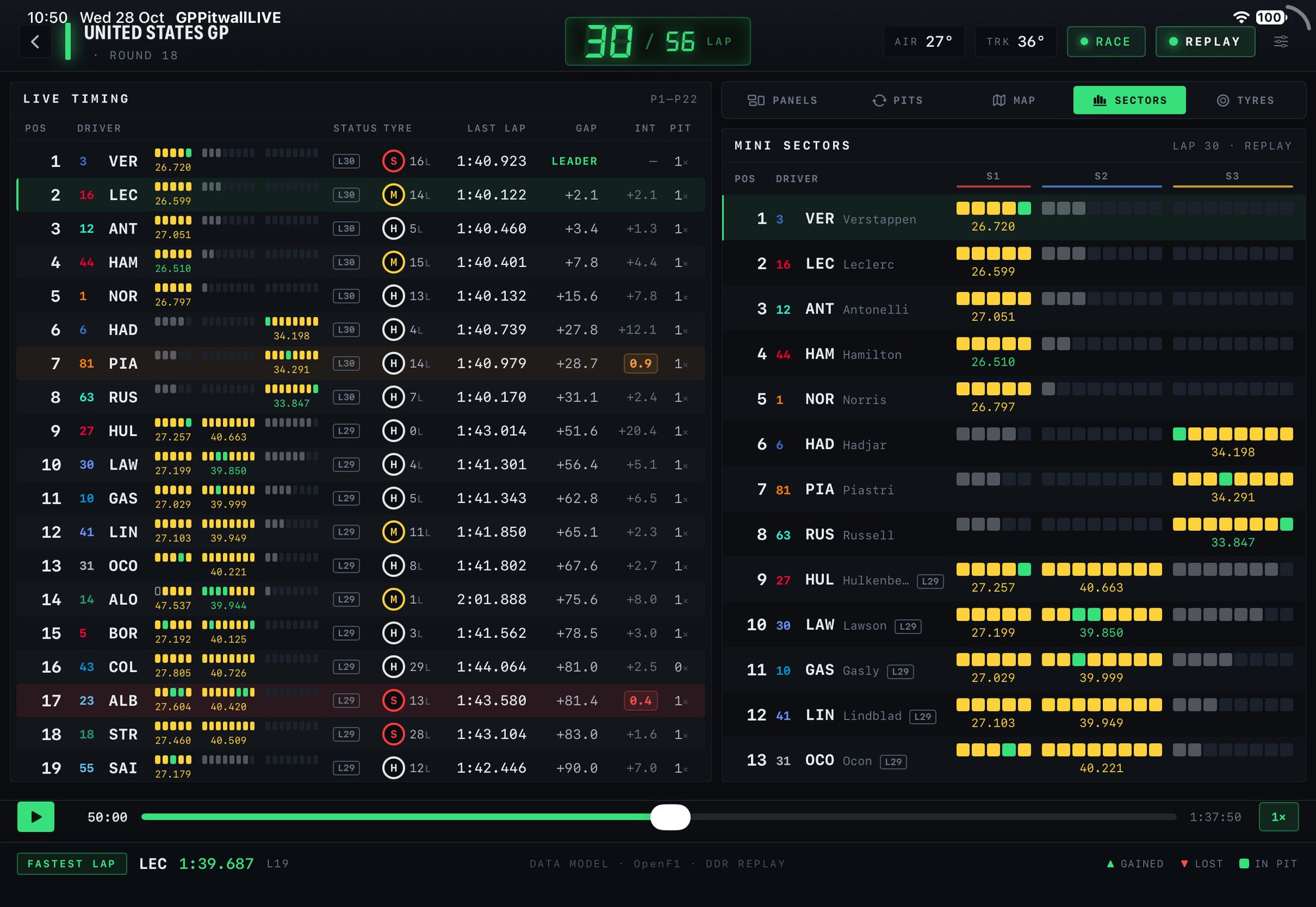
1MINI SECTORS

A rolling strip per driver: session best, personal best, slower, pit lane.

2LIVE TIMING

P1 to P22 with tyre and age, last lap, gap, interval and stops.

3BATTLE CHIP

Amber or red when the gap to the car ahead drops under a second.

4REPLAY

Play, pause and scrub, at 1×, 2×, 5× or 10×.
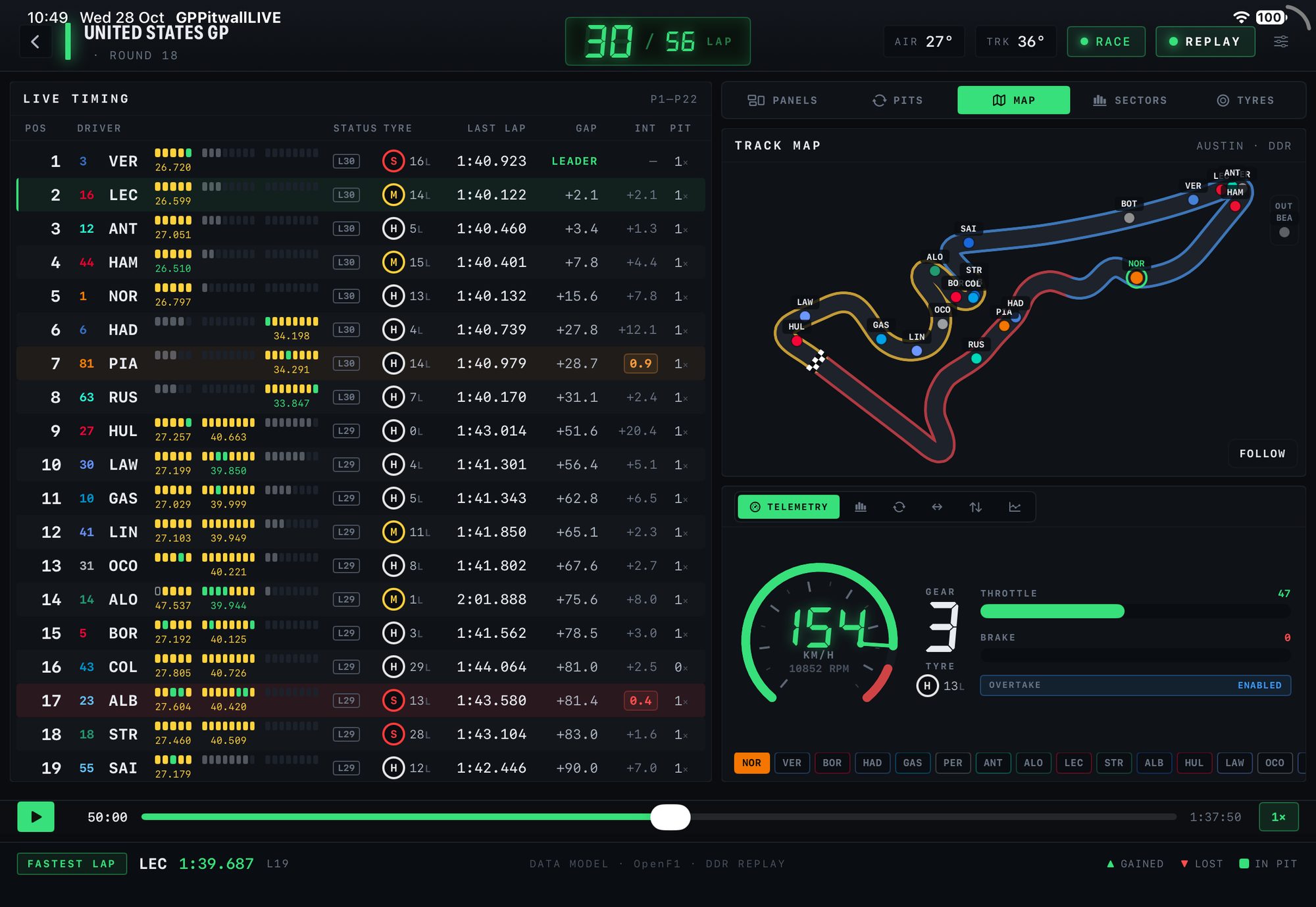
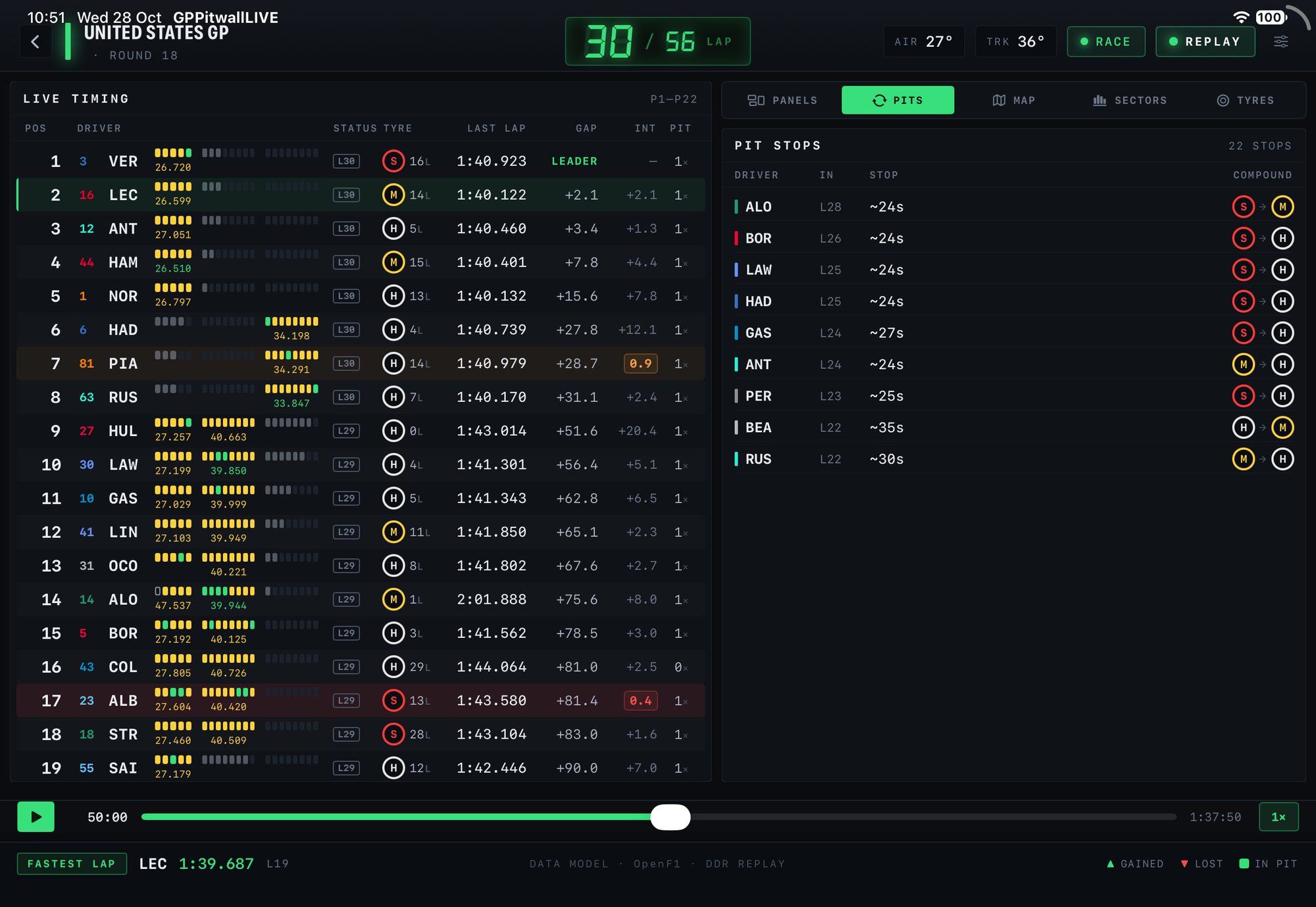
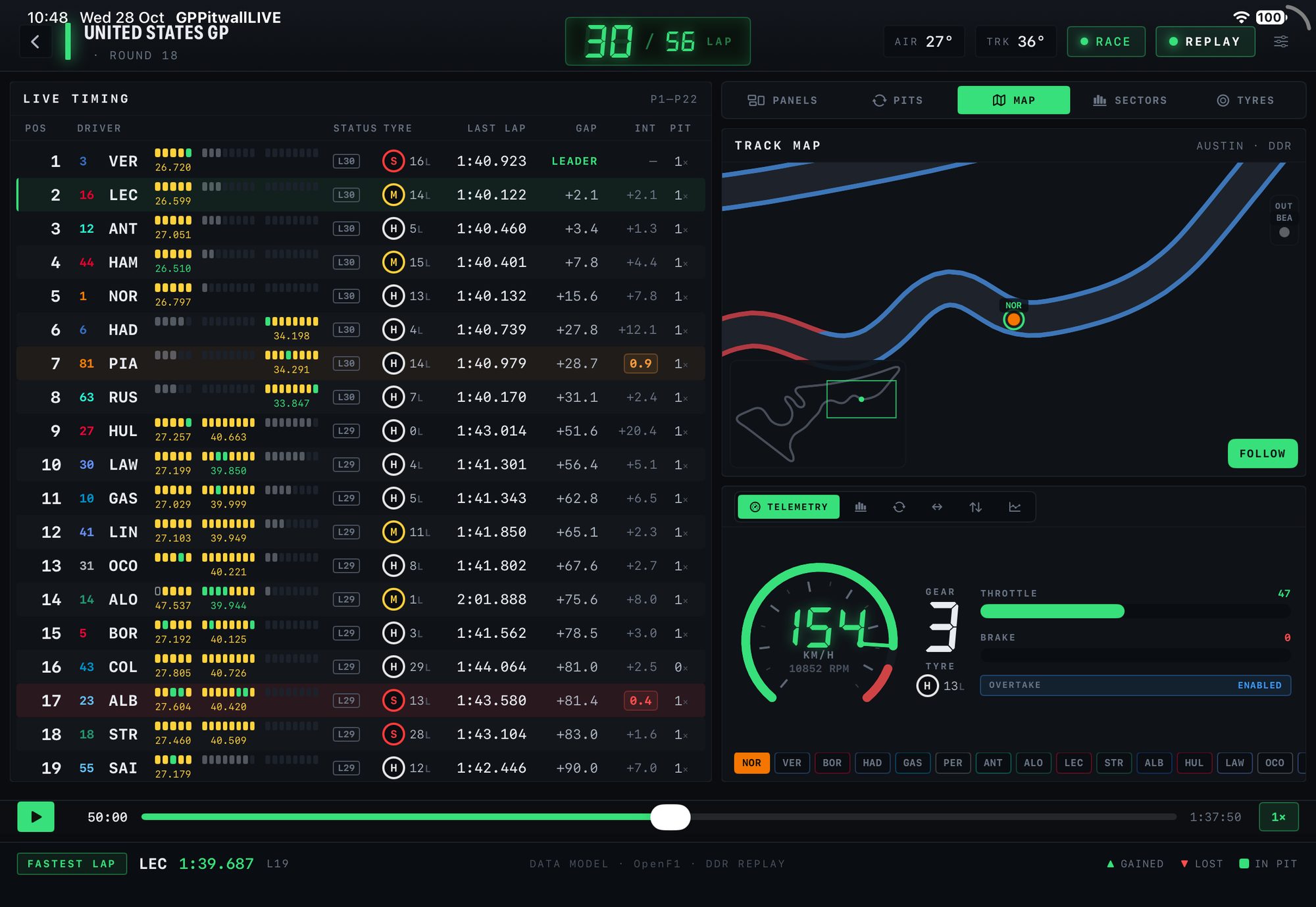
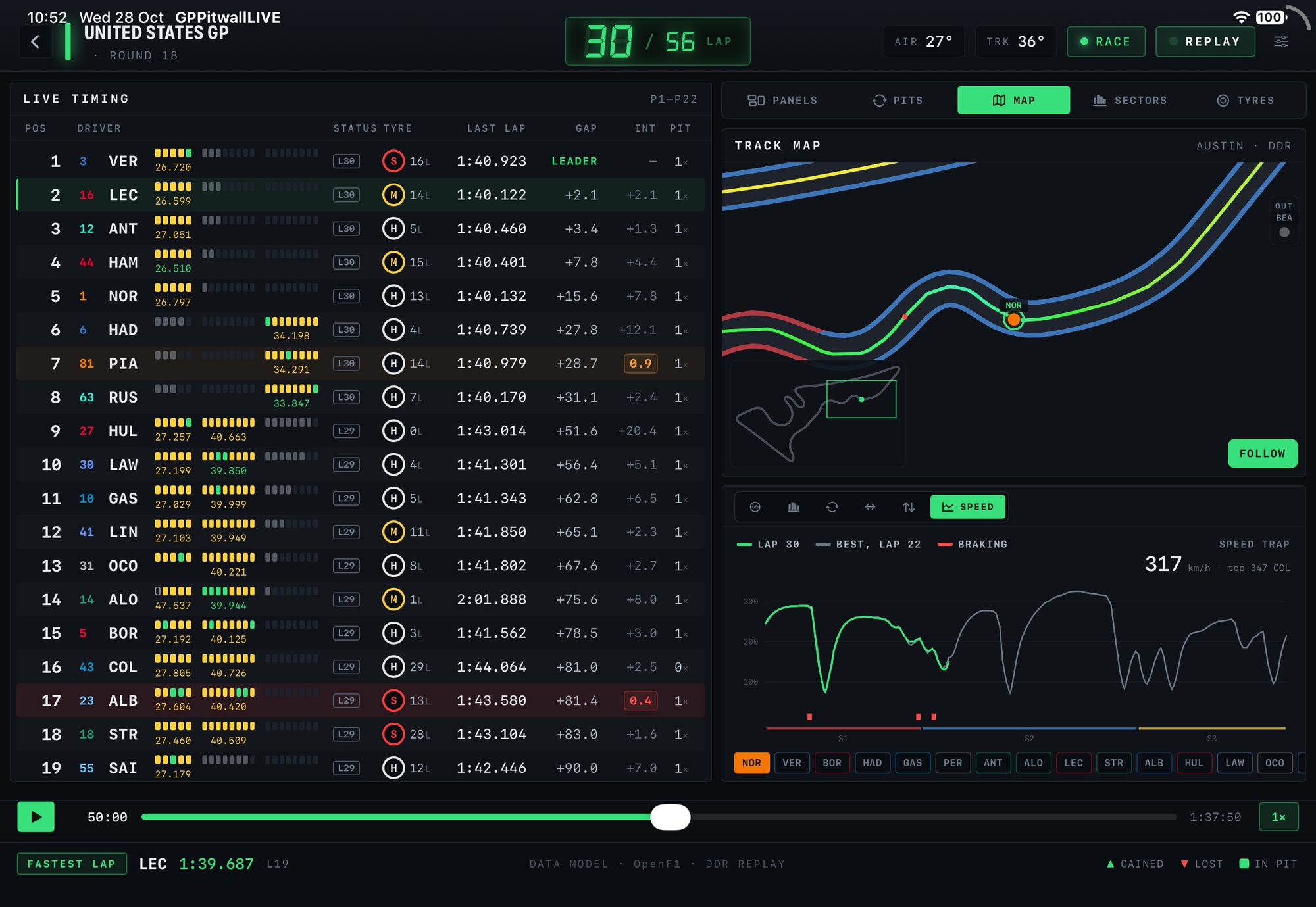
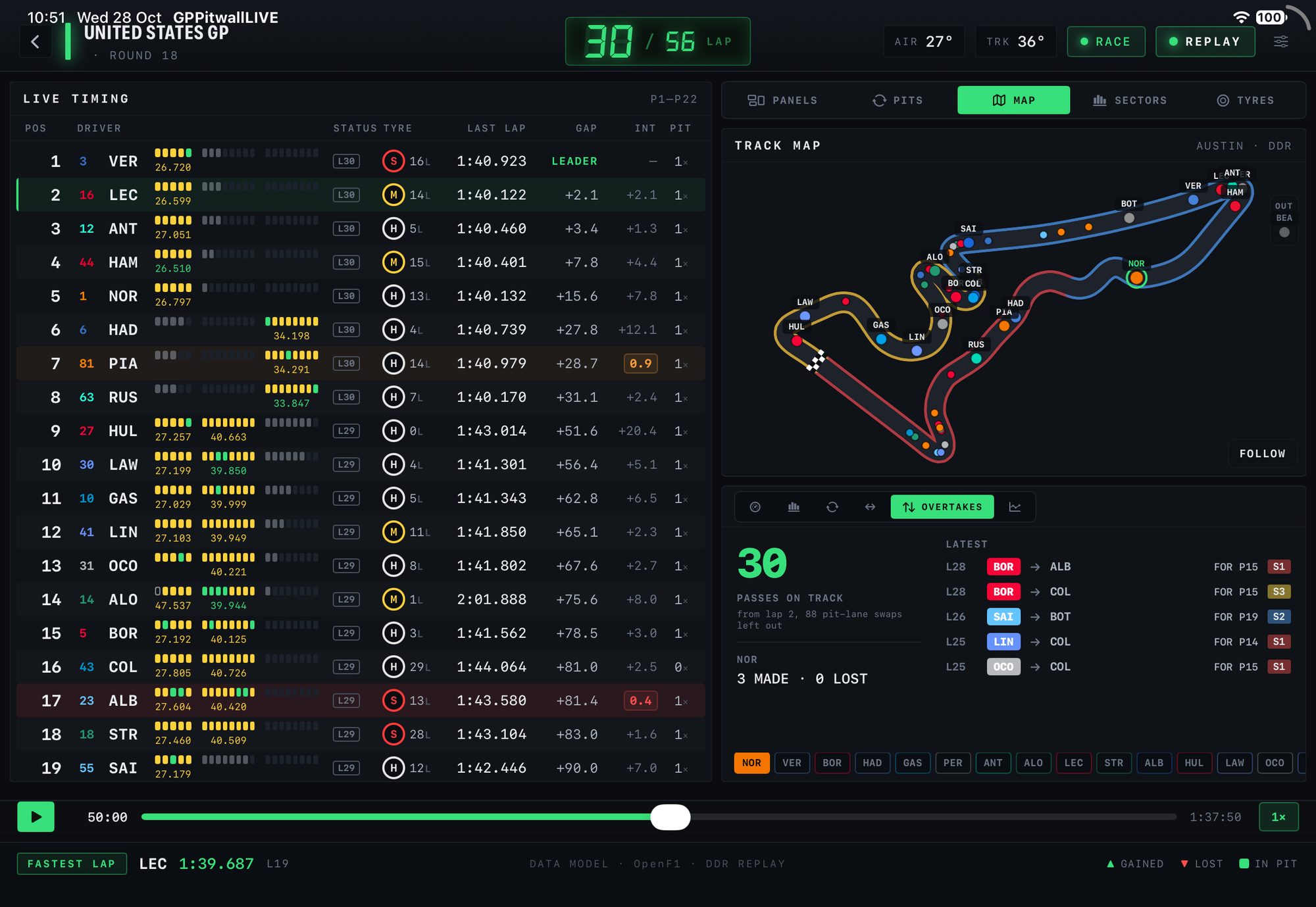
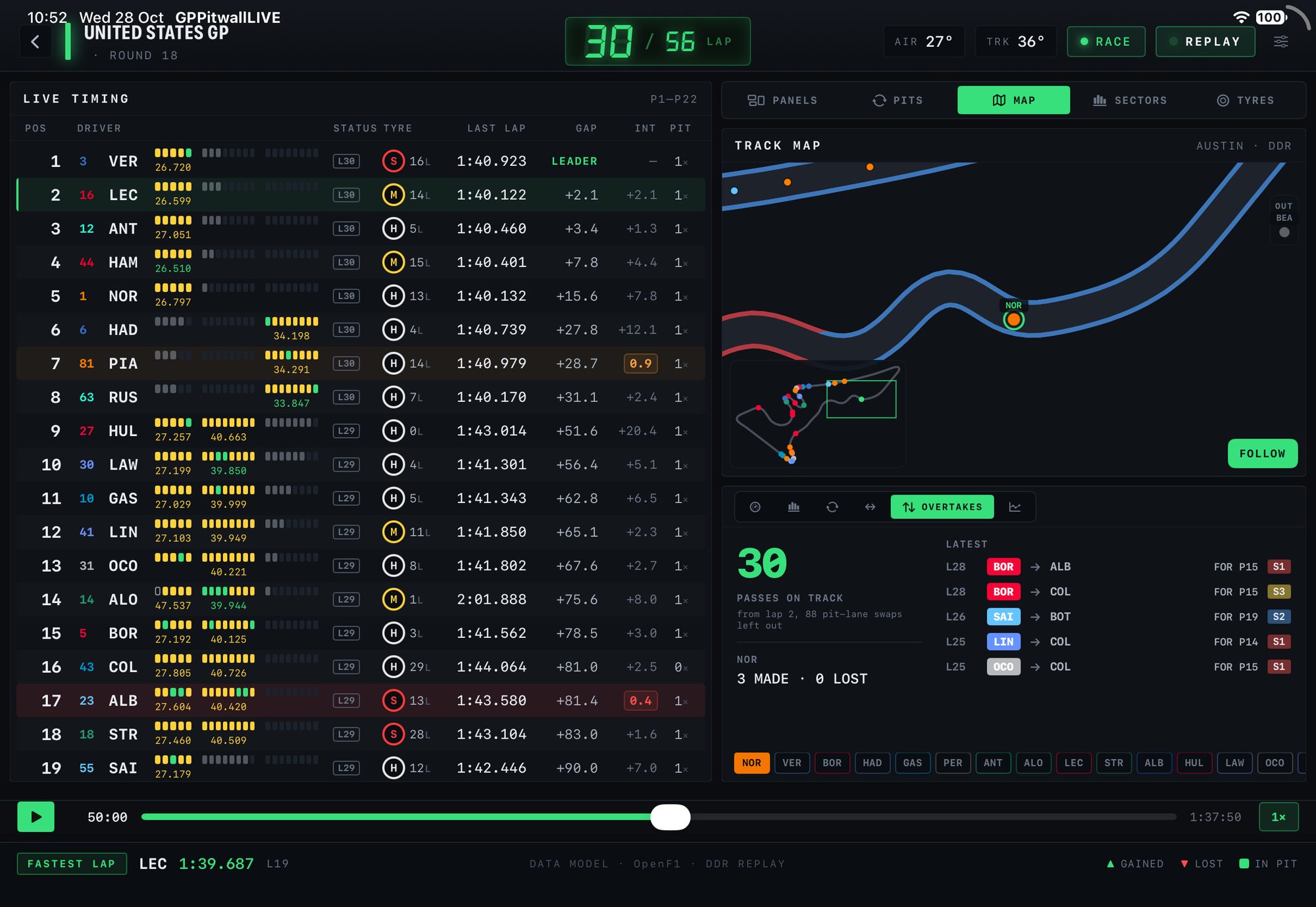
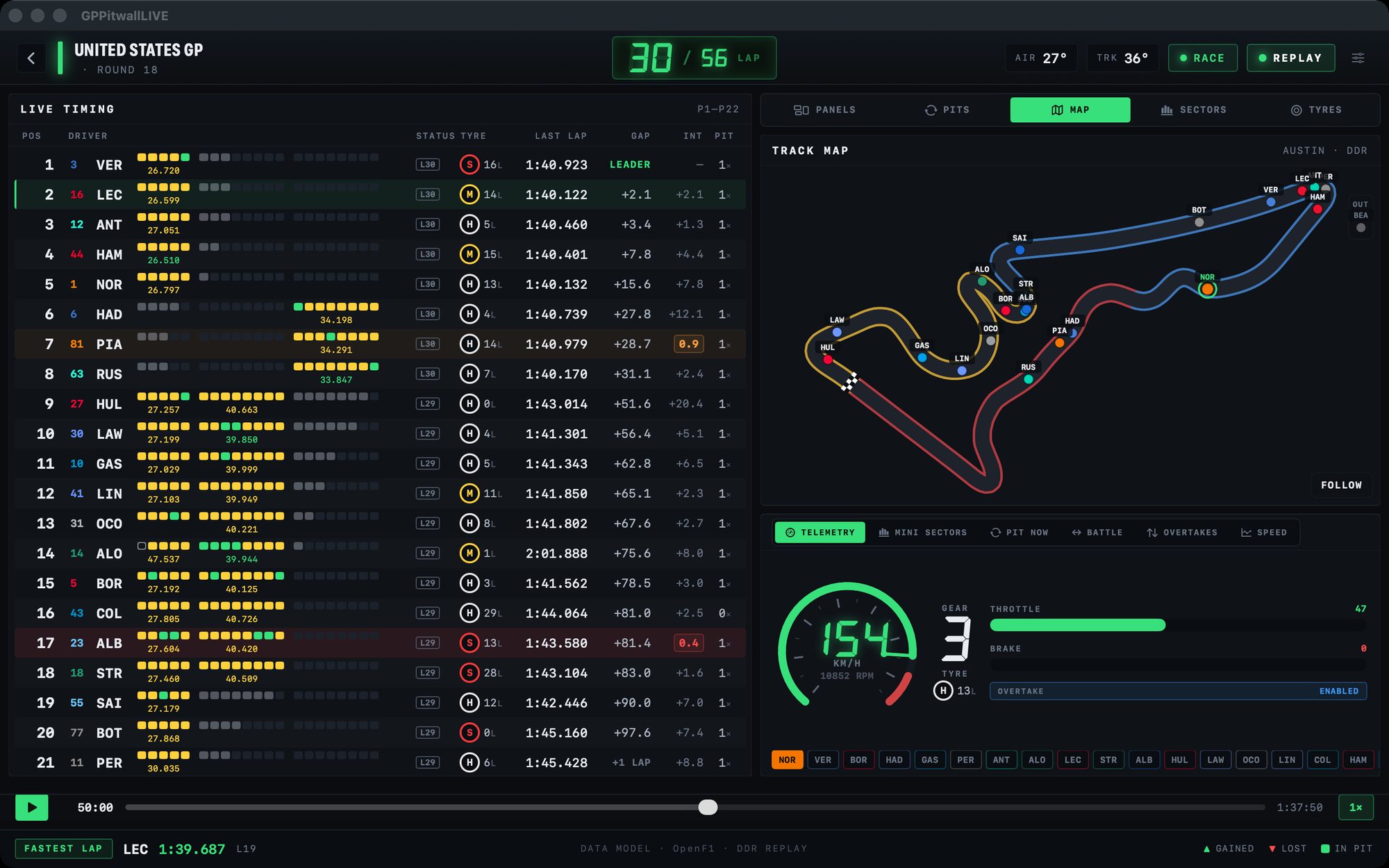
iPad race screen with LIVE TIMING on the left and the MAP tab on the right
12345678
5LAP COUNTER

LCD lap count, temperatures, the flag and the mode.

6FIVE TABS

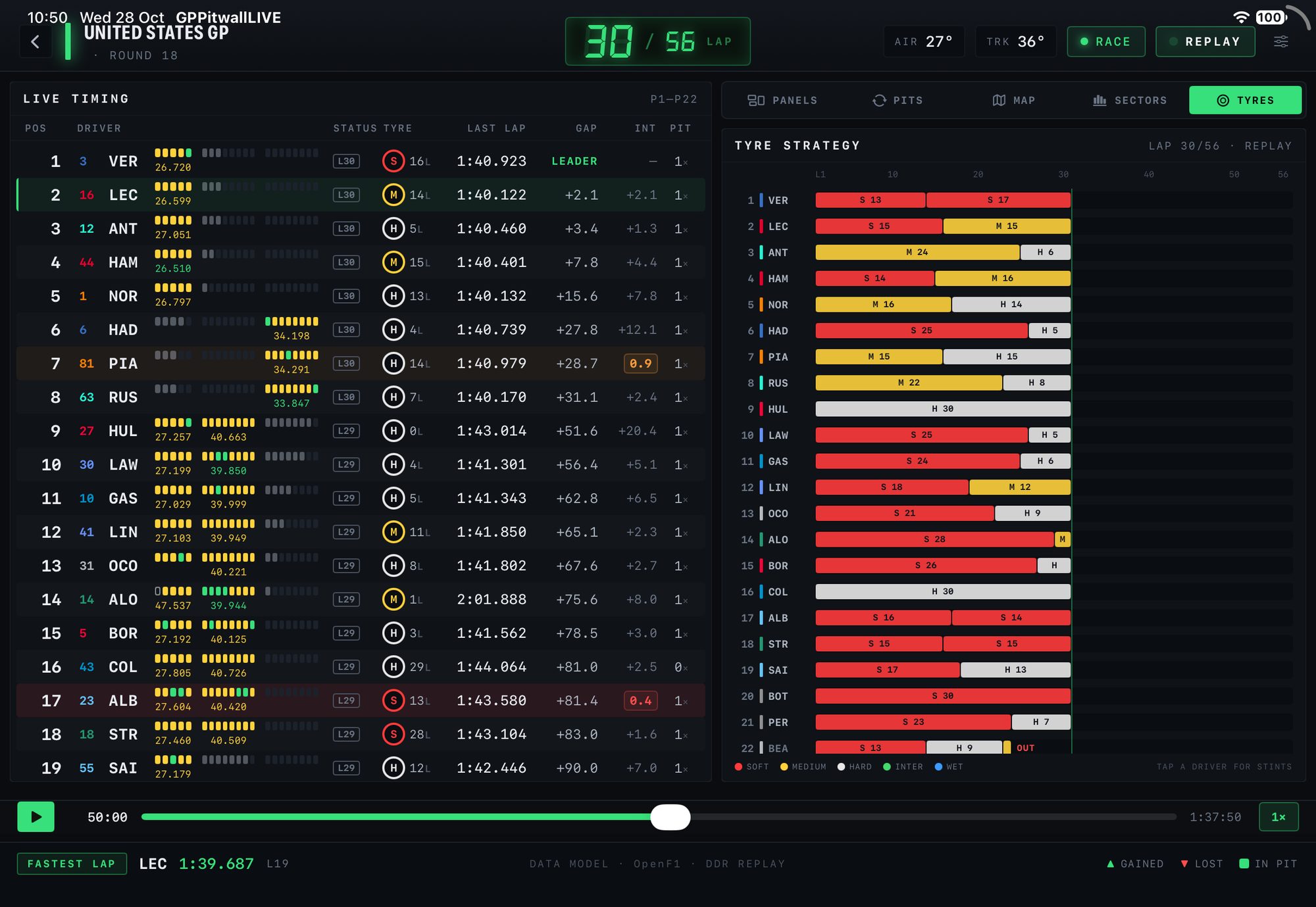
PANELS, PITS, MAP, SECTORS and TYRES next to the tower.

7TRACK MAP

Every car moving in real time, with FOLLOW for one car.

8TELEMETRY

Speed, RPM, gear, throttle, brake and OVERTAKE for the selected car.
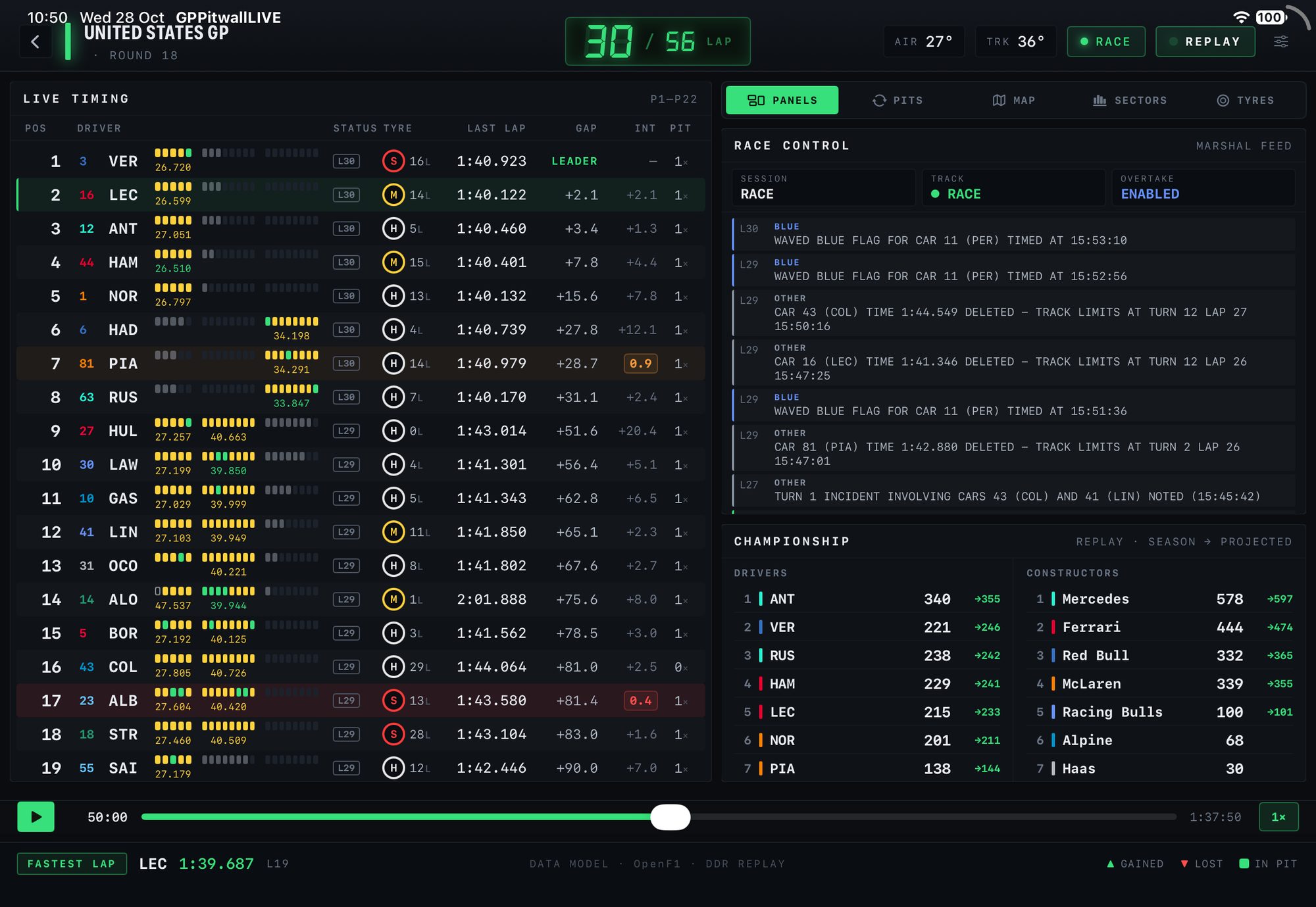
THE RIGHT COLUMN

Five tabs next to the tower.

THE TRACK MAP

Follow any car.

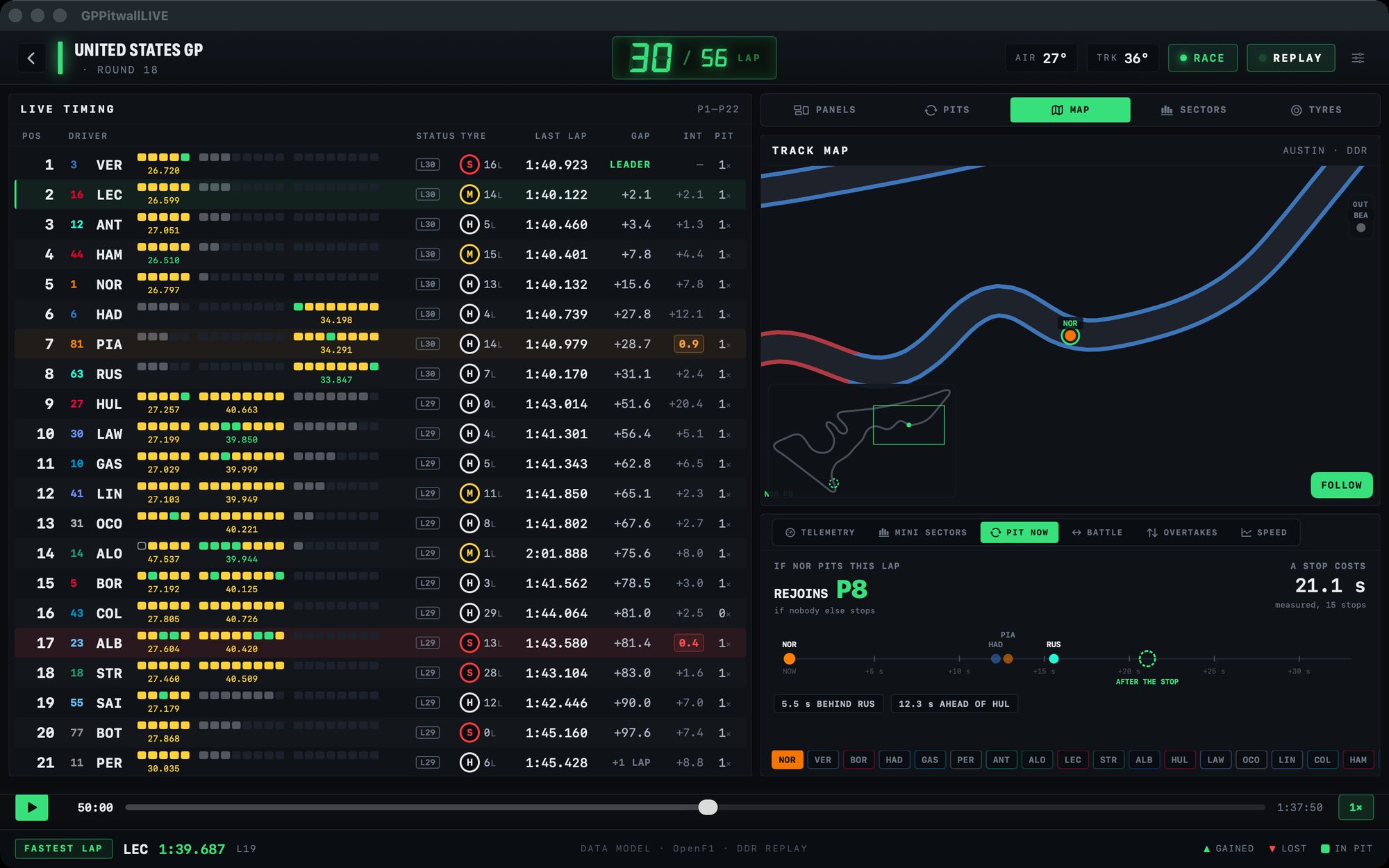
Team-coloured cars, the road coloured by sector and PIT and OUT columns for cars in the lane. FOLLOW keeps the camera on the selected car, with pinch zoom from 1.5× to 6×. Six dials sit under the map: TELEMETRY, MINI SECTORS, PIT NOW, BATTLE, OVERTAKES and SPEED.

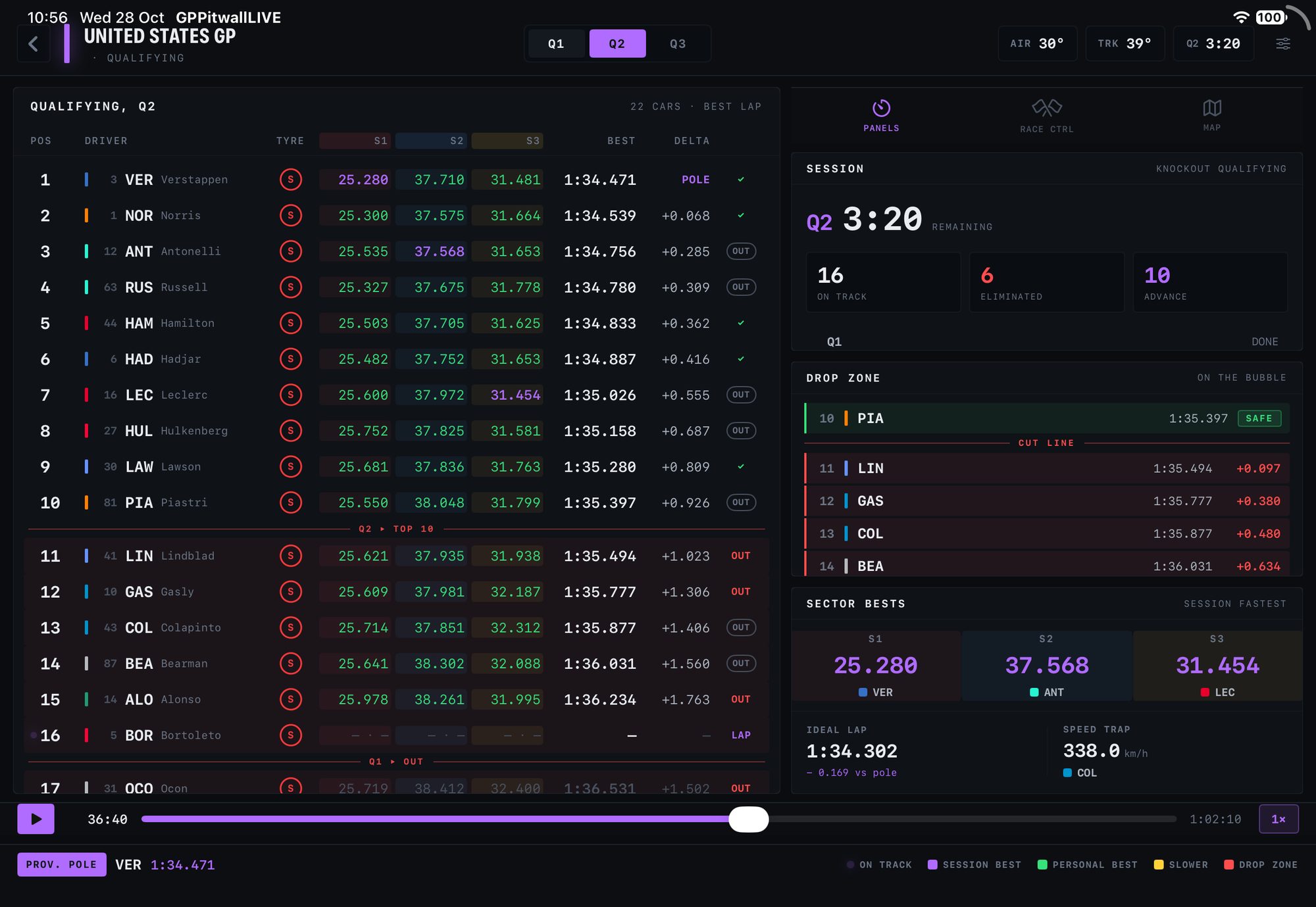
Qualifying screen, Q2 with 3:20 left
QUALIFYING

Sector by sector.

Q1, Q2 and Q3 with the session clock, or SQ1 to SQ3 on sprint weekends. S1, S2, S3, best and delta for every driver, with the cut lines drawn in.

  • PUSH, OUT, LAP and POLE badges
  • DROP ZONE: on the bubble, safe, cut line
  • SECTOR BESTS: ideal lap, vs pole, speed trap
  • Sector times appear on your TV's clock, so TV sync holds here too
IPHONE

In one hand.

PORTRAIT · IOS 18 OR LATER

A tab bar with TIMING, RACE CTRL, PITS, TYRES, POINTS and MAP. In qualifying: TIMES, RACE CTRL, SESSION and MAP.

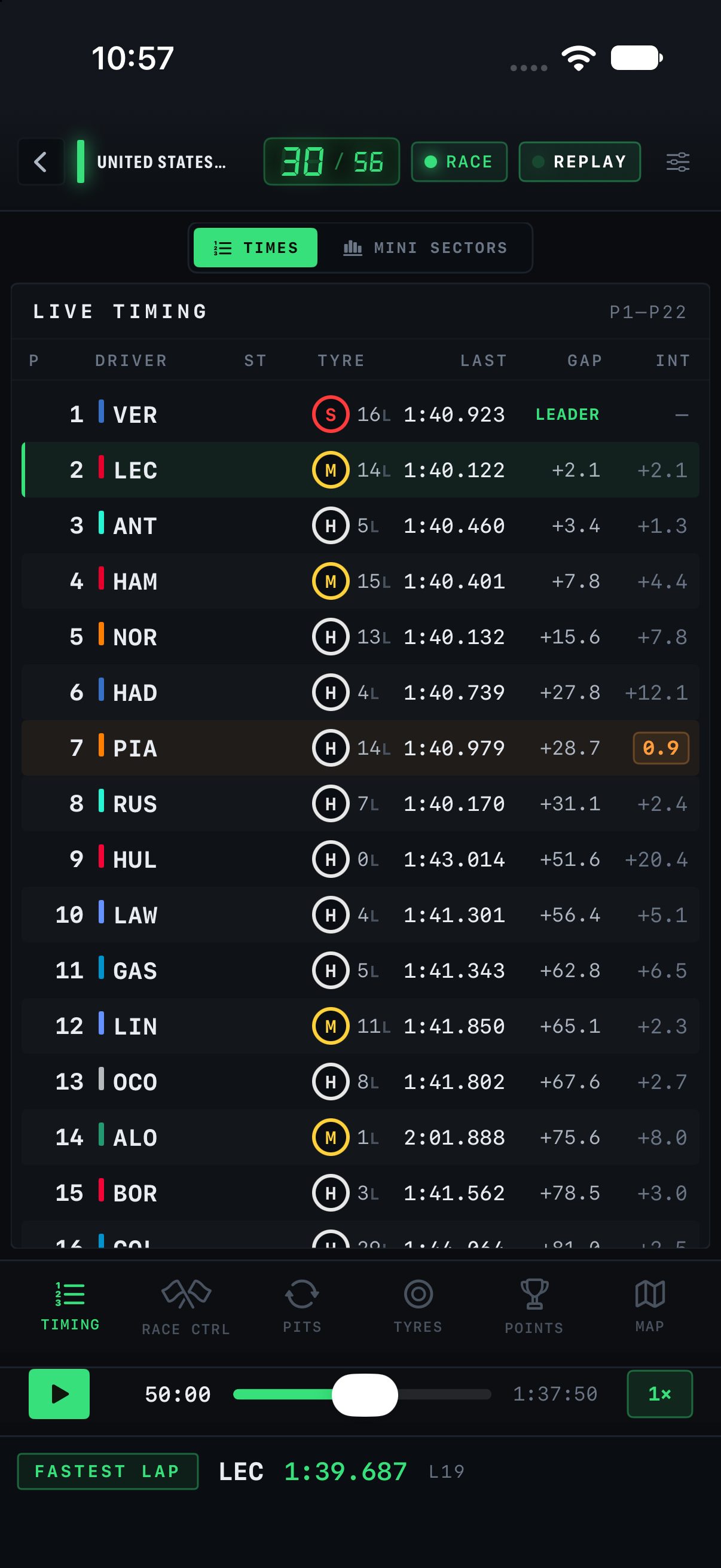
iPhone TIMING tab
TIMING

TIMES and MINI SECTORS, the whole field in portrait.

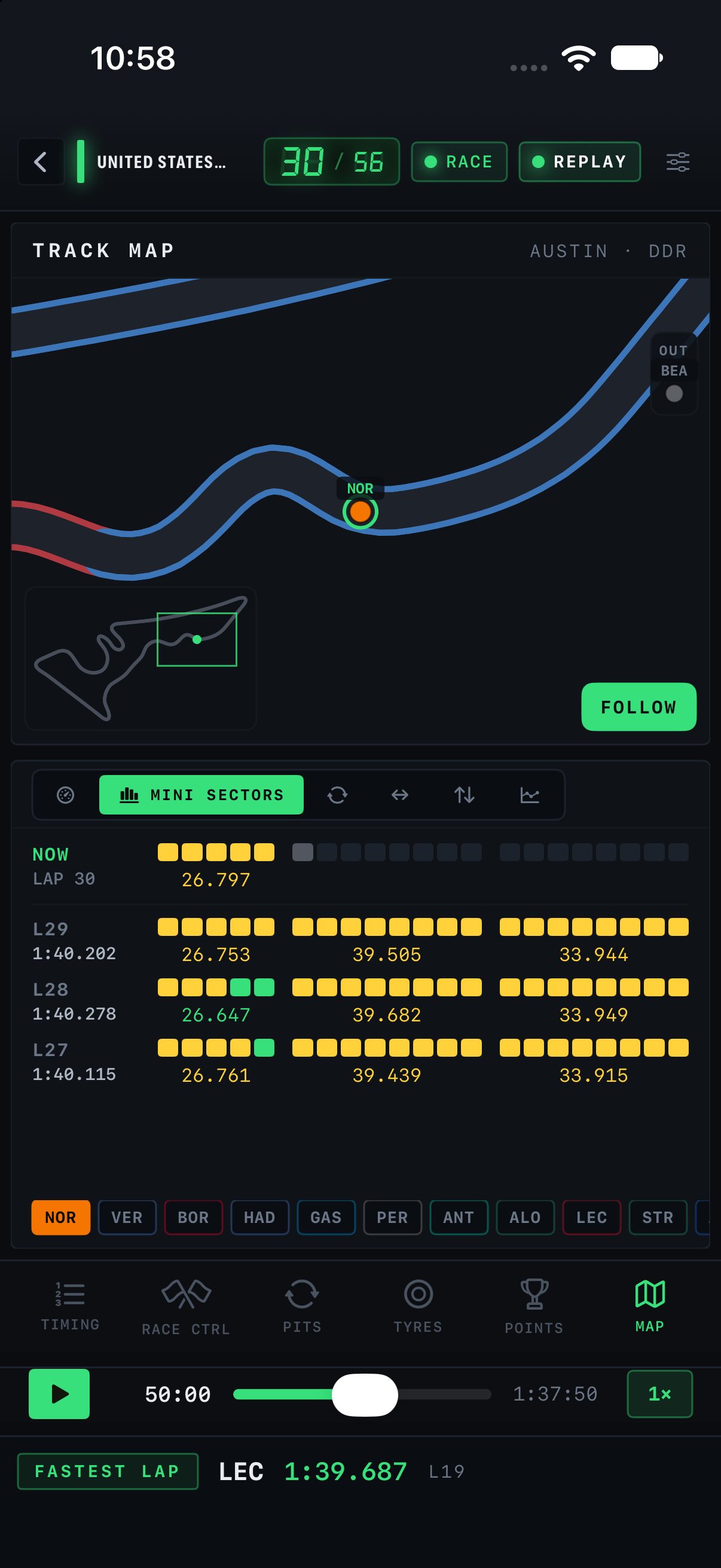
iPhone MAP tab
MAP

The circuit with every car, and the dials underneath.

MAC

A native Mac app.

MACOS 15 OR LATER

The same layout as the iPad. A tall window keeps the tyre strategy under the tower.

APPLE WATCH

A small companion on the wrist is in development.